downloads: https://github.com/dePoPo/TreeScan/releases
TreeScan
TreeScan is a Windows app written in C# that shows which folders and files take up the most disk space.
Supervised AI project. TreeScan was built with Codex under human supervision.
- Explore an expandable tree with the largest items first.
- See the size, file count, and share of the total scan in each row.
- Open a folder or locate a file in Windows File Explorer from TreeScan.
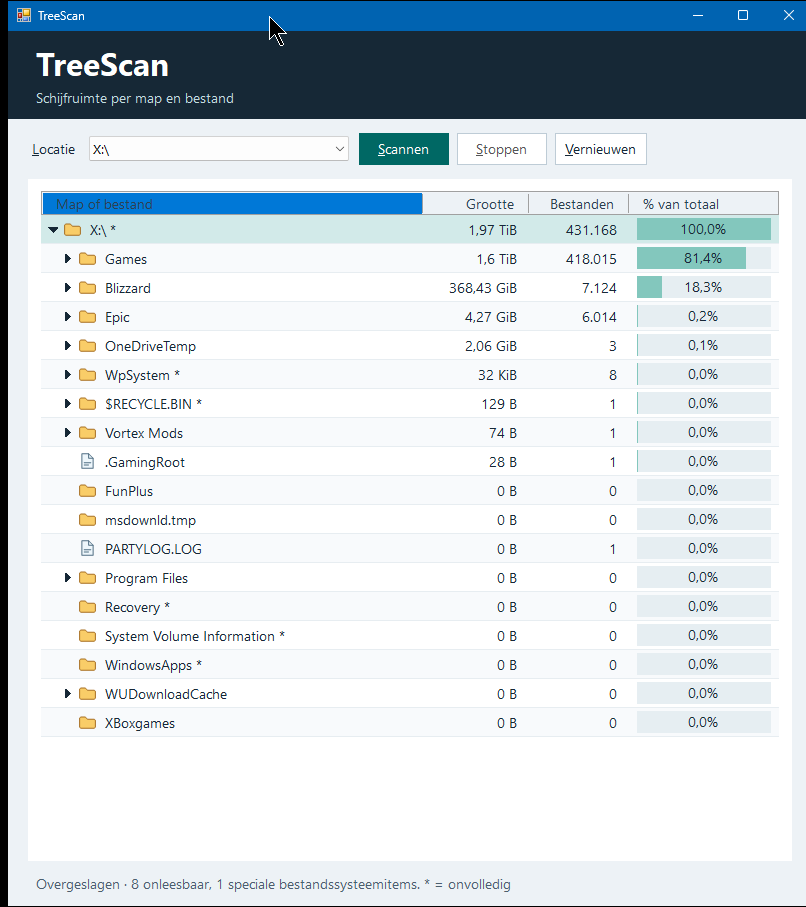
Screenshot from version 1.0.0, which used the Dutch interface.
Install and use
- Download and run the Windows x64 installer (
.msi) from this project’s releases. It installs TreeScan for your Windows account and automatically upgrades an earlier MSI installation for that account. - Right-click a drive or folder in File Explorer and choose Scan with TreeScan. On Windows 11, look under Show more options.
- You can also launch TreeScan from the Start menu and select a drive.
TreeScan requires x64 Windows with .NET Framework 4.8 or later. An asterisk (*) in the tree marks an incomplete total. TreeScan may skip locations it cannot read and file system links.
To uninstall TreeScan and remove its File Explorer menu entries, go to Settings → Apps → Installed apps.
Build from source
Use PowerShell on Windows with the .NET 9 SDK and the .NET Framework 4.8 Developer Pack.
dotnet build -c Release
./installer/Build-Msi.ps1
The executable is in bin/Release/net48/. The installer build script uses WiX 6.0.2 and writes the MSI to bin/installer/.